CORE

ORGANIZATION

Garrett and Company

ROLE

Systems Architect / Developer

Balancing automation and human judgment to create a reliable, transparent estimating system.

The challenge

Construction estimating is both complex and financially risky. Prior to the creation of CORE (Centralized Operations and Revenue Engine), every estimate produced by the company required employees to reconstruct a complex pricing process from calculators, freight tables, vendor agreements, emails and experience. Estimators manually calculated margin, freight and tax, adjusted terms and conditions and transferred project information between documents. As project volume and complexity increased, memory and copy-and-paste work became increasingly difficult to scale.

The resulting errors weren't trivial. Missed scope, incorrect freight and forgotten tax obligations could move unnoticed from an estimate into a live project. One use-tax omission alone cost the company $73,000, demonstrating that estimating errors represented a material financial risk rather than simply an inefficient process.

The Solution

Instead of replacing the existing process with an off-the-shelf platform, I designed CORE around the way estimators already worked. The familiar spreadsheet interface remained, but the knowledge previously carried by individual employees was progressively built into the system through standardized data, business rules and automation.

The goal wasn't to eliminate human judgment. CORE automated repeatable decisions such as freight, taxation and cost calculations while leaving estimators in control of markup and scope. This allowed the process to become more consistent without requiring employees to abandon a workflow they already understood.

Diagram showing product data, pricing, freight, sales and use tax, and project data entering CORE, which applies standardized business logic to produce estimates, proposals, change orders, and procurement outputs.
CORE centralized estimating inputs and business rules into a standardized system for producing consistent project output

A standardized pricing model

Vendor pricing structures, freight breakpoints and tax requirements varied by product and project, making accuracy dependent on what each estimator knew and remembered. CORE translated those variables into standardized categories and business rules, automatically applying freight, cost, taxation and other pricing logic.

This shifted the estimator's job from reconstructing the pricing process to reviewing and adjusting a consistent starting point.
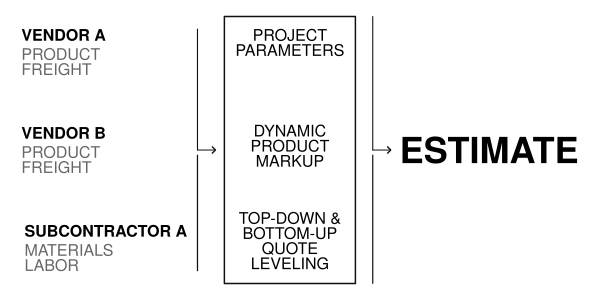
Diagram showing front-end process of leveling top-down and bottom-up vendor pricing and the application of business and compliance rules to generate an estimate.
Standardized product pricing pass through project, company, and leveling processes to produce compliant estimates

A familiar interface for a new process

CORE was built around the spreadsheet interface estimators already understood, minimizing the learning curve while moving the system's complexity behind the interface.

Custom menus, buttons and modal windows gave users access to the functions they needed without exposing the formulas, helper data and scripts underneath. The result was a fundamentally different estimating process presented through a familiar interaction model.
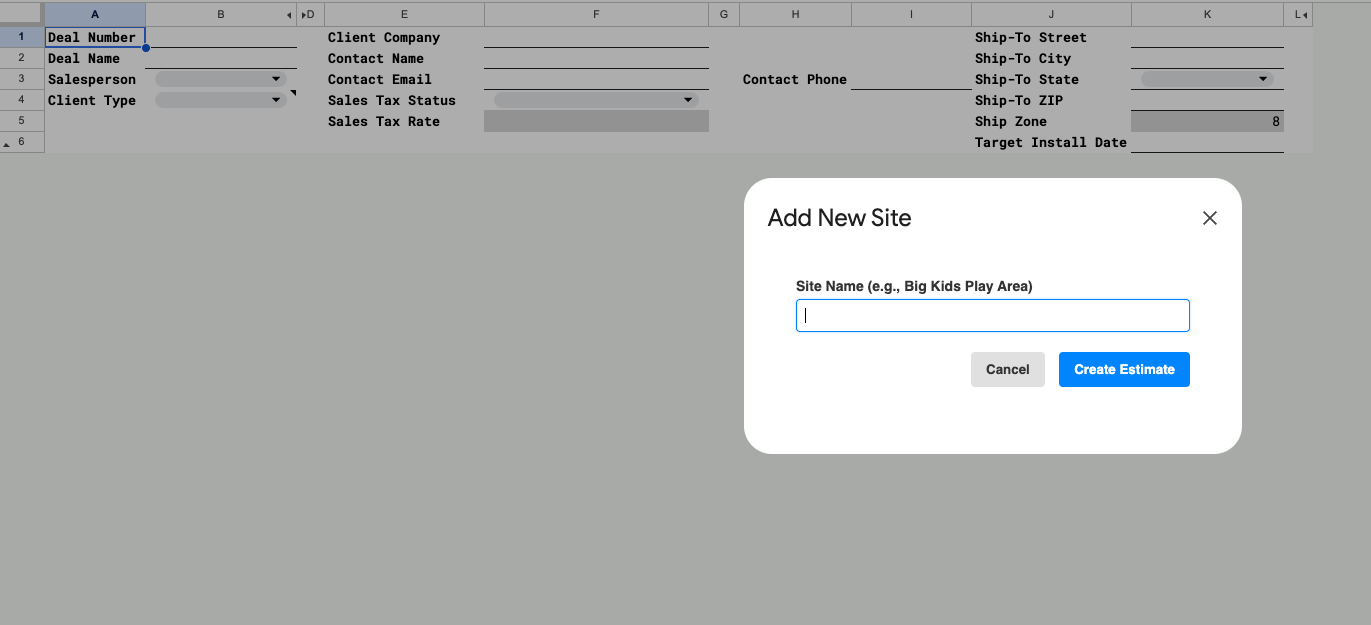
A screenshot of CORE's user interface showing project input fields and naming modal.
CORE's user interface

From estimate to standardized output

Prior to CORE, completing the estimate was only the beginning of producing a proposal. Estimators still had to transfer pricing, scope, terms and other information into separate client-facing documents, creating another opportunity for information loss.

CORE used the structured estimate data to generate standardized proposals and change orders directly from the system. Revisions and alternate concepts could remain connected to the underlying project while client-facing documents maintained consistent pricing, terms and presentation.

Two pages from
                                        a client proposal generated by CORE, showing the branded cover and standardized
                                        project pricing.
A proposal's cover and pricing pages generated from CORE

The result

90% reduction in estimating time

CORE increased estimating capacity while making the process more reliable and easier to learn. New employees could produce accurate estimates with less dependence on individual estimating knowledge, and the class of tax errors the system was designed to prevent did not recur.

As adoption grew, CORE became the center of the pre-bid process, connecting estimating decisions with the information needed for procurement and changes during construction.

Technologies

  • Google Apps Script
  • Google Sheets
  • HTML
  • CSS

HubSpot

ORGANIZATION

Garrett and Company

ROLE

Systems Architect / Administrator

Turning a traditional CRM into a scaling operational system.

The challenge

Project information used to move through the company by email, phone calls, texts, instant messages and individual task lists. Each departmental handoff required someone to retransmit the project's requirements and history, leaving designers, estimators and procurement staff to reconstruct context that already existed elsewhere.

The consequences became clear when a large playground was ordered in the wrong color. The client had approved the revised design, but that information never reached procurement. The correct information existed; the company's process simply couldn't preserve it across the handoff.

The Solution

Rather than onboard another platform or expand our HubSpot footprint, I redesigned the company's existing CRM around the lifecycle of a project. The Deal became the source of truth, preserving project data, communication and history as work moved from Sales through Design, Procurement and Client Success.

Department-specific pipelines gave each team a bespoke workflow, while automation created and connected the records needed at each handoff. Instead of repeatedly transferring project information between people, teams could work from a shared, flexible context.

One project, multiple workflows

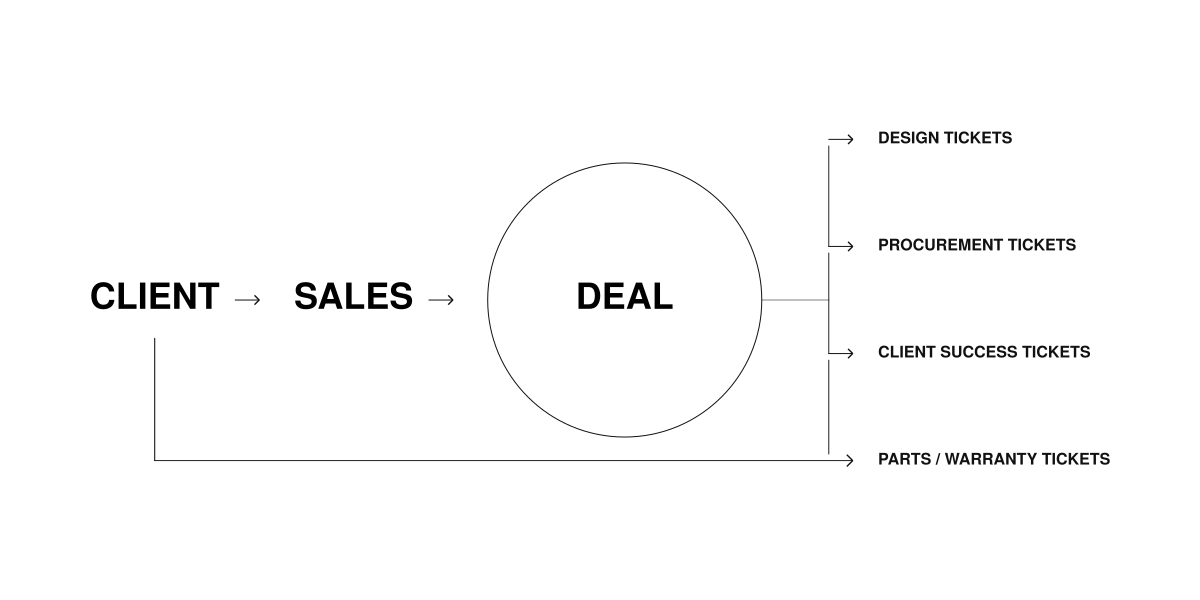
Each department needed a workflow suited to its own tasks, but creating separate systems would have recreated the information problem I was trying to solve. I used the Deal as the persistent project record and built connected pipelines around it for Design, Procurement and Client Success.

As the project progressed, changes in the Deal's stage automatically created the records required by the next department. Each team could manage its own process while remaining connected to the same underlying project.

Diagram showing front-end process of leveling top-down and bottom-up vendor pricing and the application of business and compliance rules to generate an estimate.
Deal stage changes generated connected departmental tickets, preserving project context across the lifecycle. Parts and warranty requests followed a separate service workflow

Context that survives the handoff

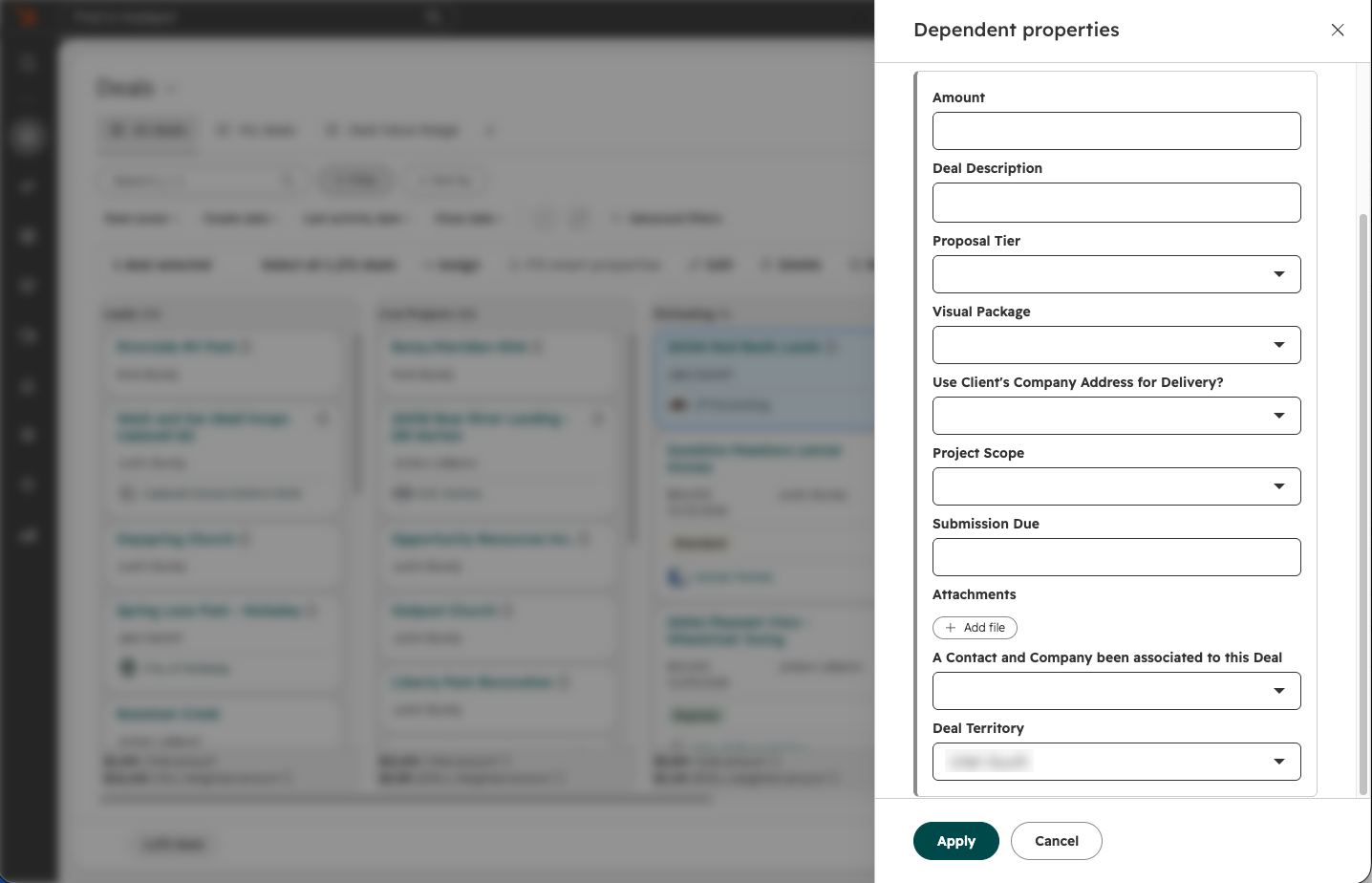
A handoff needed to transfer more than responsibility for a task. It needed to preserve the information required to complete it. I structured the transition into Estimating around project requirements, including scope, delivery details, deadlines, attachments and client information.

HubSpot's dependent properties panel showing project information collected when moving a Deal into Estimating.
Project requirements collected during the transition into Estimating.

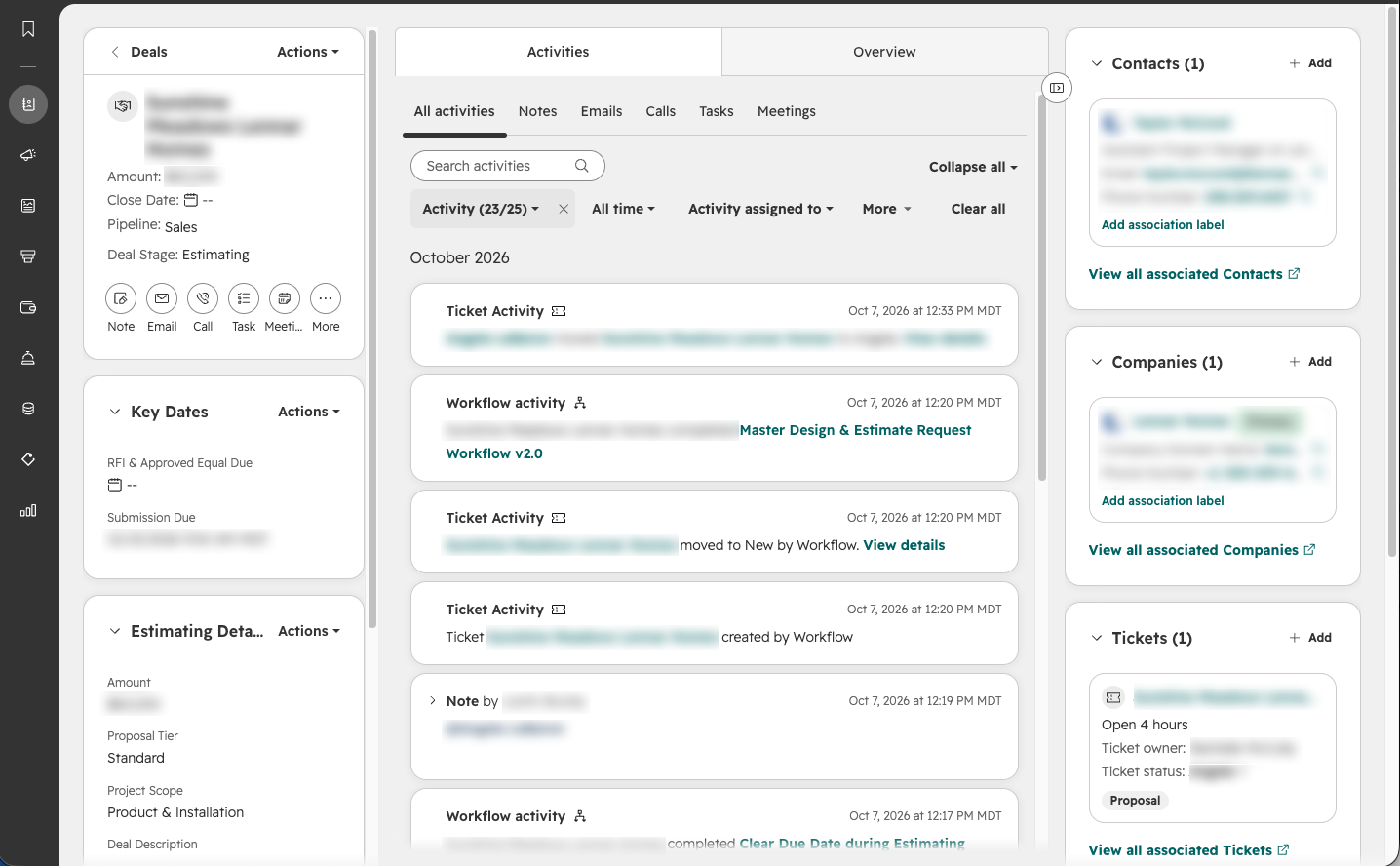
Moving a Deal into Estimating triggered the creation of an associated Design ticket. Project information and activity remained connected to the Deal, giving designers access to the context already established by Sales rather than requiring another round of emails, messages and conversations.

HubSpot Deal detail showing project properties, workflow activity, and an associated Design ticket.
The Deal retains project context and a record of the automated handoff.

Automating the handoff, not the judgment

Automation handled predictable transitions between workflows: creating dependent records, assigning design work, escalating urgent requests, triggering billing notifications and distributing client surveys. This reduced the number of handoffs that depended on someone remembering what needed to happen next.

Automated
  • Creating dependent records
  • Assigning design work
  • Escalating urgent requests
  • Triggering billing notifications
  • Distributing client surveys
Human judgment
  • Interpreting client requirements
  • Resolving project exceptions
  • Determining communication timing
  • Responding to schedule changes

But not every part of the process benefited from automation. Construction schedules were too variable for rigid communication timing, so client updates used standardized templates while employees retained control over when they were sent. Automation supported the process without requiring the work to behave more predictably than it actually did.

The result

HubSpot became the shared operational record for projects across Sales, Design, Procurement and Client Success. Employees relied less on calls, messages and individual task lists to reconstruct project context and increasingly used the Deal as the place where project information belonged.

That shared context also enabled new capabilities. Client Success could proactively communicate fabrication, shipping and installation progress, while completed Deals preserved a record of the workflows, stakeholders and communication associated with the project.

Technologies

  • HubSpot CRM
  • Slack

Infrastructure

ORGANIZATION

Garrett and Company

ROLE

Operational Systems / Process Designer

Building accessible resources, repeatable standards and practical decision tools.

The challenge

As the company grew, its operations continued to depend on informal knowledge and individual experience. Employees could receive different answers to the same question depending on the individual asked, and essential processes lacked consistent standards or documentation.

This created unnecessary variation across departments. Routine tasks relied on individual knowledge, while more consequential activities involving financial controls, contractual obligations and project documentation lacked reliable guidance. The company needed a way to make operational knowledge accessible without requiring employees to repeatedly seek answers from the same few people.

The Solution

I developed a centralized employee portal that brought together the company's operational resources, applications, procedures and training materials. Organized around departmental responsibilities, the portal provided a consistent starting point for everyday work and made essential information accessible across the organization.

Alongside the portal, I formalized existing workflows and developed standardized procedures, templates, reference guides and decision-making tools. These resources addressed different needs: documenting complex processes, simplifying recurring tasks, and helping employees make informed decisions. I also created instructional videos and conducted training sessions to support employees in adopting the new standards.

A shared point of access

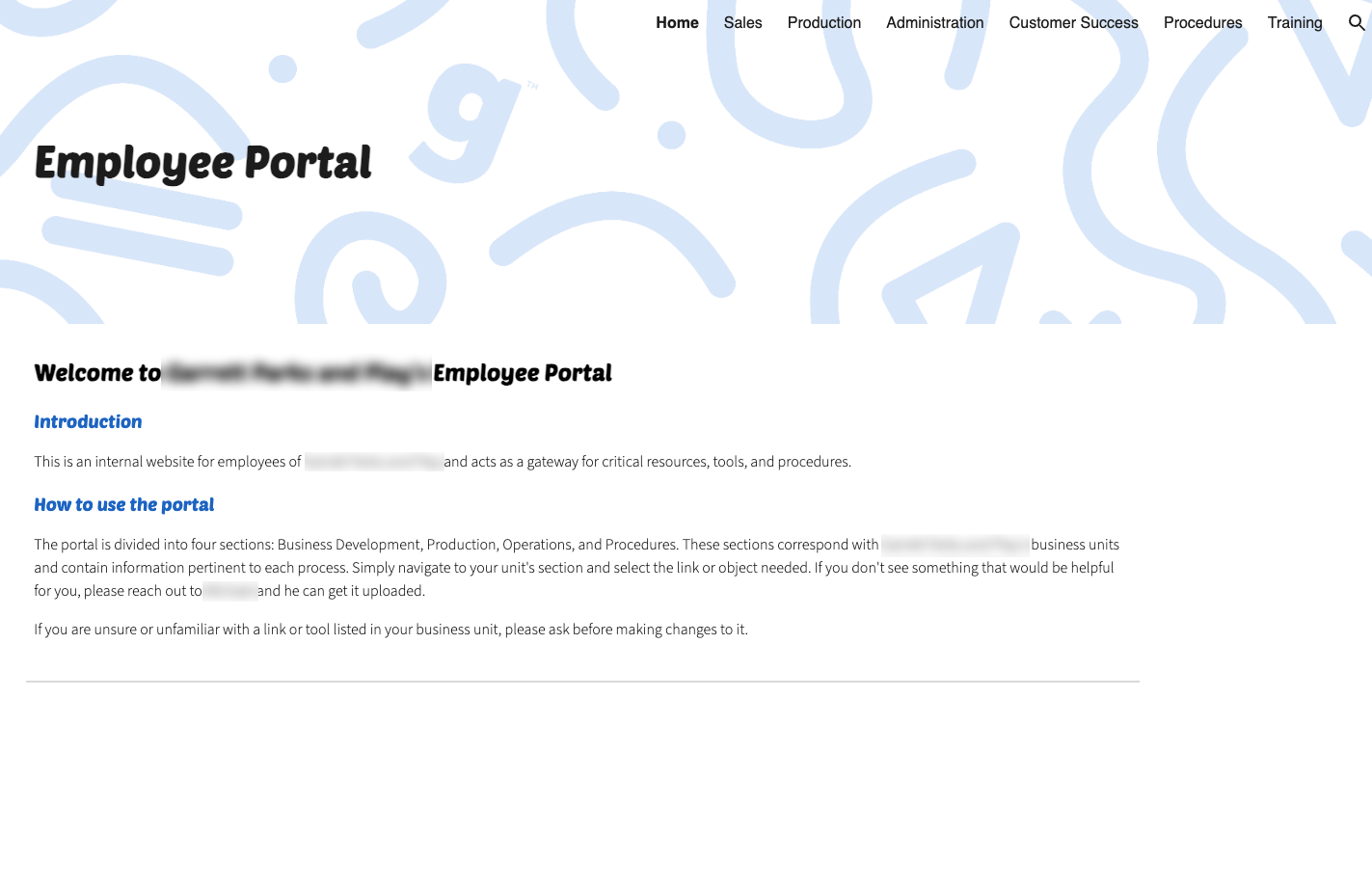
The employee portal organized resources around the company's departments: Sales, Production, Administration, Customer Success, Procedures and Training. Each section brought together the applications, templates, reference materials and tools employees needed for their work.

The portal also provided a consistent entry point for CORE, the company's estimating platform. By linking employees to the application through the portal, I could update CORE without requiring them to locate a new file or change how they accessed it.

Employee portal homepage showing departmental navigation
                                        for Sales, Production, Administration, Customer Success, Procedures, and Training.
Employee portal homepage and departmental navigation

Turning complexity into decisions

A handoff needed to transfer more than responsibility for a task. It needed to preserve the information required to complete it. I structured the transition into the estimating stage around project requirements, including scope, delivery details, deadlines, attachments and client information.

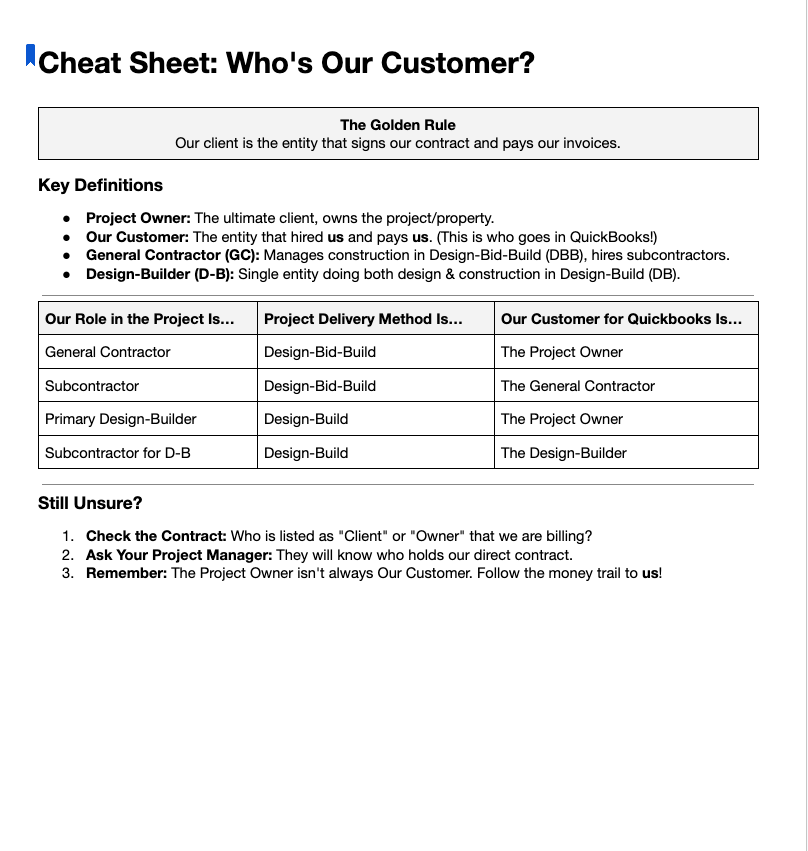
Image of a training document page with a table that shows users how to know who their customer is.
Customer-identification matrix for different project delivery methods
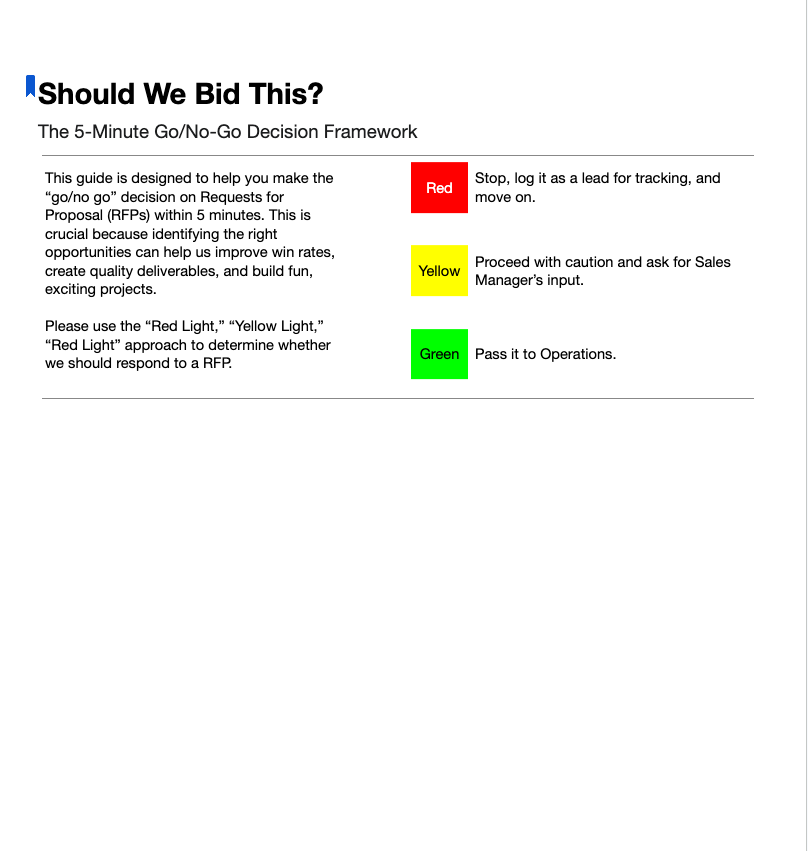
Bid-evaluation guide using green, yellow, and red categories to help employees assess opportunities and determine when further review is needed.
Bid-evaluation framework with defined escalation criteria

Making standards usable

Standardization did not always require extensive documentation. Some activities benefited from concise rules that employees could reference quickly, while more complex processes required detailed instructions and clearly defined responsibilities.

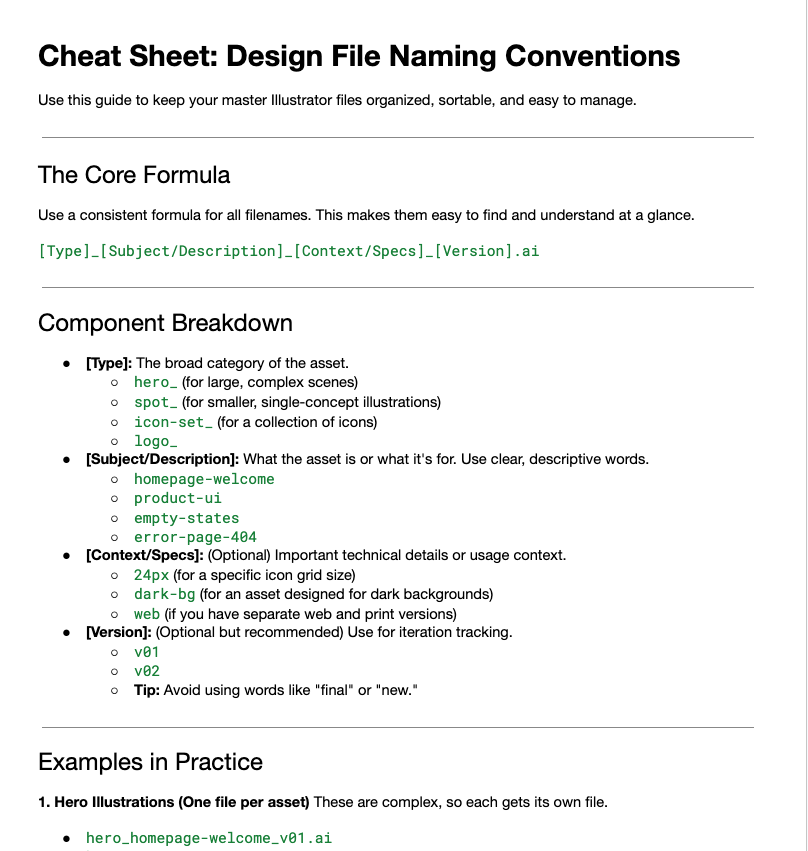
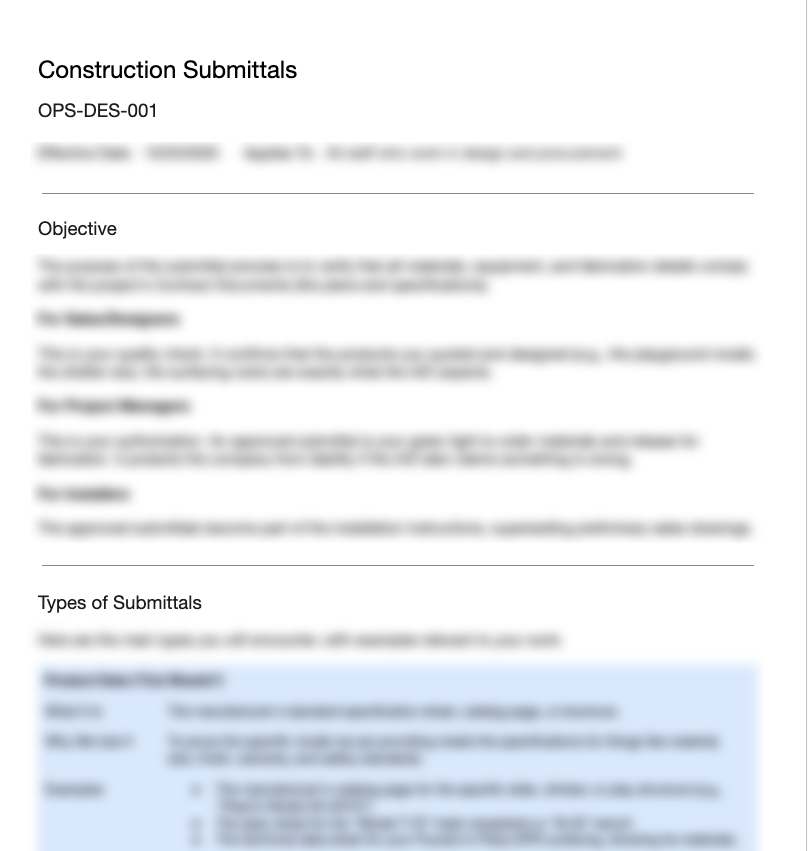
I developed resources at different levels of detail, from file-naming conventions that established a consistent structure for design assets to formal procedures governing construction submittals. Each was designed to make expectations explicit and reduce reliance on informal instruction.

Design file naming conventions guide showing astandardized filename structure and examples.
A concise naming convention for design assets.
Construction submittals procedure page showing its objective, scope, and documented process.
A documented procedure for preparing construction submittals

The result

The employee portal became a regularly used entry point for CORE, operational templates, vendor details and other tools. By bringing these resources together, I gave employees a consistent way to access information and applications they needed for everyday work.

Adoption of the documented procedures was more limited. Although the resources established clearer standards and made organizational knowledge more accessible, their availability did not translate into consistent adherence. The project demonstrated that access to operational knowledge and adoption of operational standards are separate challenges. Solving the first will not automatically resolve the second.

Technologies

  • Google Sites
  • Loom
  • Adobe Cloud